Should you add a note to a LinkedIn connection request?
An invite without a note shows your name, photo and headline. The person getting it has a second or two to answer two questions: Who is this? and Do they actually know me, or do they want something? If they can't answer the first, the easy choice is Ignore.
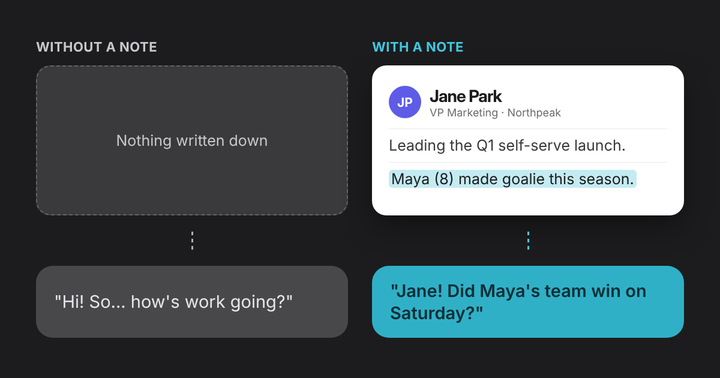
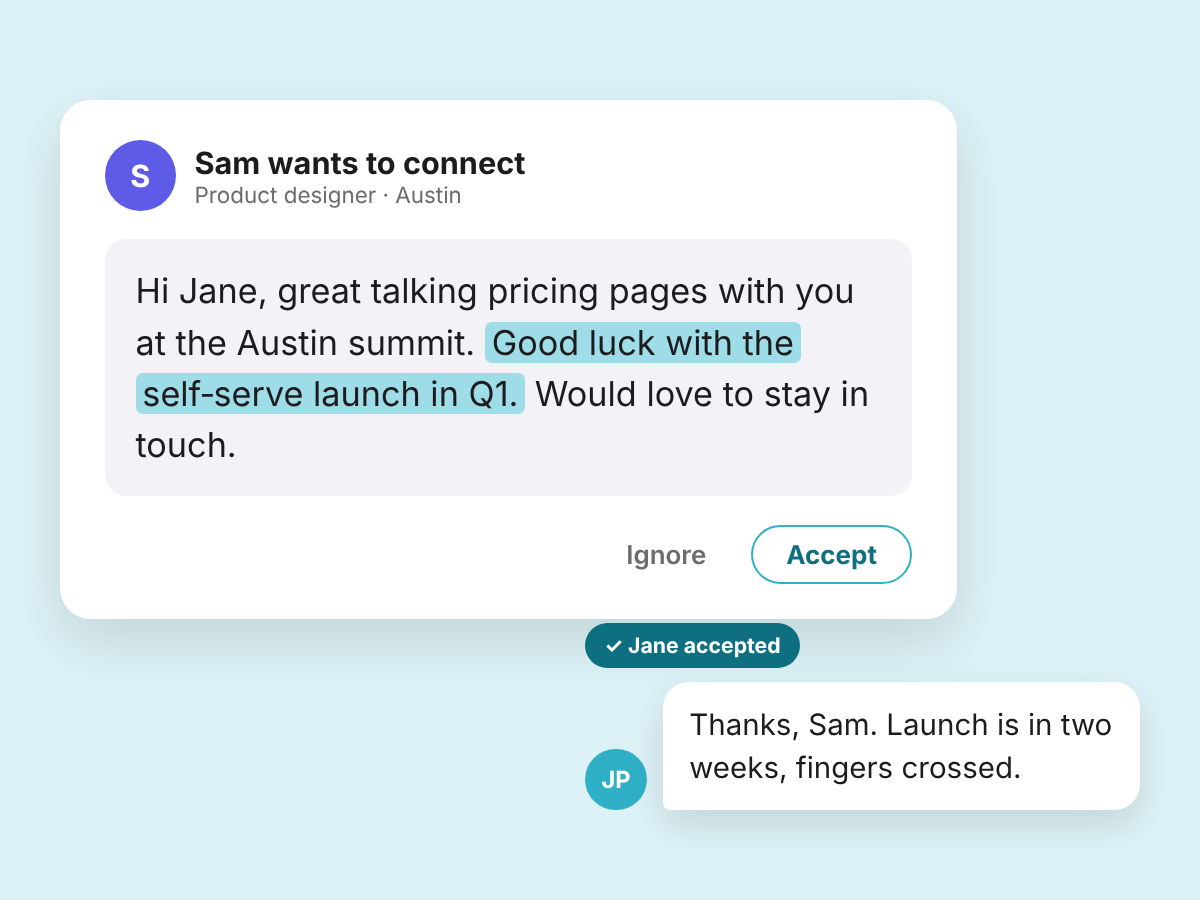
A note answers both before they decide. A place or a mutual name ("we met at the Austin summit", "Dana suggested I reach out") gives their memory something to hold onto, and the face and the conversation come back. One detail from that conversation answers the second question. It shows you were listening, and that turns a name in their inbox back into a person.
There's research behind that second part. In studies of online chats and speed dates, people who asked more follow-up questions were more well liked, because they came across as responsive: they understood and cared about what the other person said (Huang and colleagues, Journal of Personality and Social Psychology, 2017). Those studies looked at conversations, not invitations. Mentioning what someone told you does the same job in writing.
Free accounts get 5 personalized invitations a month, and each note has a 200-character limit, so spend them where they count. Your teammate or college roommate will place you without one. Save notes for people who might not: someone you met once, a friend of a friend, a speaker you heard.
Those looser connections are worth the effort. In experiments on LinkedIn's "People You May Know" feature covering more than 20 million people, moderately weak ties (people you share a few mutual connections with) did the most for job mobility (Rajkumar and colleagues, Science, 2022). The study measured outcomes, not reasons, but it's a good argument for treating acquaintances as more than a number.
What should a LinkedIn connection note say?
Three short parts, in this order:
- How you know them. "We met at the Austin summit" or "Dana suggested I reach out." This answers "who is this?"
- One thing they told you. The launch they're leading, the talk they gave, the marathon they're training for. This answers "do they actually know me?" and makes the note theirs.
- Why connect, with no ask. "Would love to stay in touch" is enough. Save requests for a message after they accept.
Address them by first name. Two or three sentences fit well under 200 characters.

As a template: Hi [name], [how you know them]. [One thing they told you]. [Why you'd like to connect].
10 LinkedIn connection note examples
Copy the one that fits, swap in your details, then change the words until they sound like you. Every example is under 150 characters.
1. After a conference or event
Send it the same day or the next, while they still remember the conversation. At a busy event, the detail is how they place you.
"Hi Jane, great talking pricing pages with you at the Austin summit. Good luck with the self-serve launch in Q1. Would love to stay in touch."
2. After a coffee chat or meeting
Use it when you had a real conversation. Thank them for what they gave you (advice, an idea, their time) and mention one thing about them.
"Hi Marcus, thanks for coffee today and for the advice on first hires. Good luck in Sacramento in December. Glad to be connected."
3. To a recruiter
Use it when you're open to roles. There's no shared moment yet, so be clear about what you do and what you're looking for. Recruiters read a lot of these. If you're job hunting, Noted for job seekers covers what to write down after each conversation.
"Hi Alex, I see you recruit for design teams. I'm a product designer looking for remote roles, and I'd be glad to be on your radar."
4. To someone you'd like to learn from
Use it when you've never met. Name one thing they made or did, and what it meant to you. The specific thing is the compliment, so skip the flattery.
"Hi Priya, I went to the Austin design meetup you used to run, and it's why I started sketching again. Would love to follow your work."
5. When a mutual contact suggested it
Use it when someone said "you should meet Dana". Lead with the shared name, so they know why you're writing.
"Hi Dana, Marcus Allen suggested we connect. He said you've built two marketplaces, and I'm starting my first. Would be glad to know you."
6. To a classmate or fellow alum
Use it when you share a school or program but barely know each other. The shared place gets you in. Their latest move gives you something to say.
"Hi Maria, we were in the same MBA program, two years apart. I saw you moved into climate tech, which is where I'm headed. Glad to connect."
7. To a former colleague
Use it when you've lost touch with someone you worked with. A shared memory and a congratulation say more than "long time no see".
"Hi Tom, it's been a while since that launch week we survived together. Congrats on the new role. Would be great to stay in touch."
8. To a client or past client
Use it when the work is done and you'd like to keep the relationship. Remember something from their life, not just the deal.
"Hi David, it was a pleasure helping you find the house on Elm St. Hope Biscuit is enjoying the yard. Let's stay in touch."
9. To another parent
Use it for parents you know from the team, the school or the birthday party circuit, when you'd also like to know them professionally. Keep it light.
"Hi Sarah, it was good to meet you at the Mustangs BBQ. Thanks again for hosting. Would be glad to connect here too."
10. Before a first meeting
Use it when a call is already on the calendar. Mention something of theirs you read, so the first minute of the call isn't the first time they hear from you.
"Hi James, looking forward to our call on Thursday. I read your piece on customer onboarding and have a question or two. Glad to connect first."
What should you send after they accept?
A new connection with no message after it is easy to forget. A one-line thank-you keeps it going. No pitch.
- When they accept yours: "Thanks for connecting, Jane. Hope the half marathon training is going well."
- When they invited you: "Thanks for the invite, Dana. Marcus speaks highly of you. How's the new marketplace coming along?"
- After a recruiter accepts: "Thanks for connecting, Alex. If a remote design role opens up, I'd love to hear about it."
If you met in person, this is also the moment to write down what you learned. LinkedIn has no private notes field on regular profiles; our guide to private notes on LinkedIn covers your options.
What mistakes should you avoid?
- Pitching in the invite. A sales message before they've said yes is the quickest way to an Ignore.
- Sending the same note to everyone. If a line would work for anyone, it tells them nothing.
- Guessing at a detail. If you're not sure, ask it: "Was it the Austin summit where we met?"
- Trying to fit your whole story. Two or three sentences. The rest can wait for a conversation.
- Skipping the note when they won't place you. A blank invite from a near stranger is easy to ignore.
How do you remember the detail later?
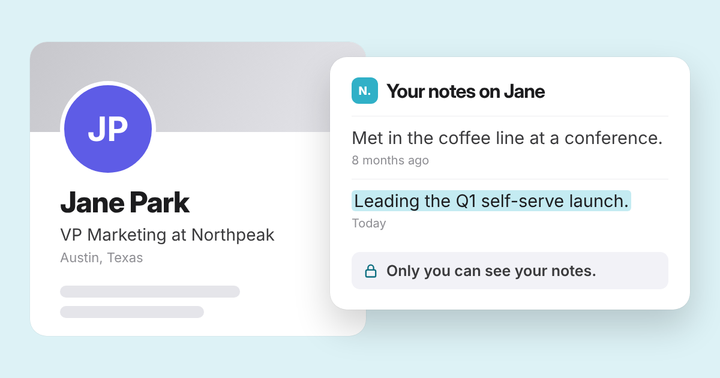
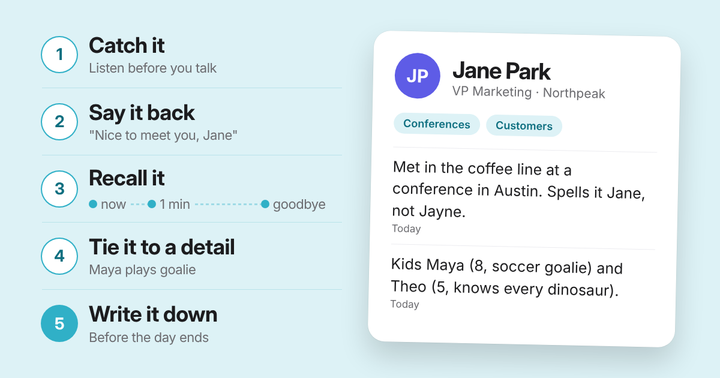
Every note here leans on one detail. After a day of meeting people, the details blur fast. So write one line about each person the same day: where you met, and one thing they told you. Our guide to remembering personal details has more on what to write down.
Write it once, after you meet. It's there the next time you open their profile, reply to their email or join their meeting.
Questions
How long can a LinkedIn connection note be?#
Up to 300 characters with LinkedIn Premium. Free accounts are limited to 200 characters, and LinkedIn shows a counter as you type, so you'll see yours. Two or three sentences fit either way: every example in our guide is under 150 characters.
How many personalized connection notes can you send on LinkedIn?#
On a free account, five each month, and LinkedIn tells you when you've used them. Premium lifts that limit. Invitations without a note don't count against it, but LinkedIn also limits how many invitations anyone can send in a week. So save your notes for people who might not place you.
Should you send a LinkedIn connection request without a note?#
Yes, when they'll know exactly who you are: a teammate, a friend, someone you just swapped details with in person. Add a note when they might not place you from your name and photo, or when you've never met.
What should you say after someone accepts your connection request?#
A short thank-you with one personal line, and no pitch. For example: "Thanks for connecting, Jane. Hope the half marathon training is going well." If you met in person, it's also a good moment to write down what you learned about them.
Are LinkedIn notes private?#
LinkedIn has no private notes field on regular profiles, and the note on a connection request is read by the person you invite. Notes you keep with Noted are private to you. They're stored in your Noted account, not on LinkedIn, so neither LinkedIn nor the person you wrote about can see them.
- Karthik Rajkumar, Guillaume Saint-Jacques, Iavor Bojinov, Erik Brynjolfsson and Sinan Aral A causal test of the strength of weak ties (Science) (2022)
- Karen Huang, Michael Yeomans, Alison Wood Brooks, Julia Minson and Francesca Gino It doesn't hurt to ask: Question-asking increases liking (Journal of Personality and Social Psychology) (2017)
- LinkedIn Personalize invitations to connect (LinkedIn Help)